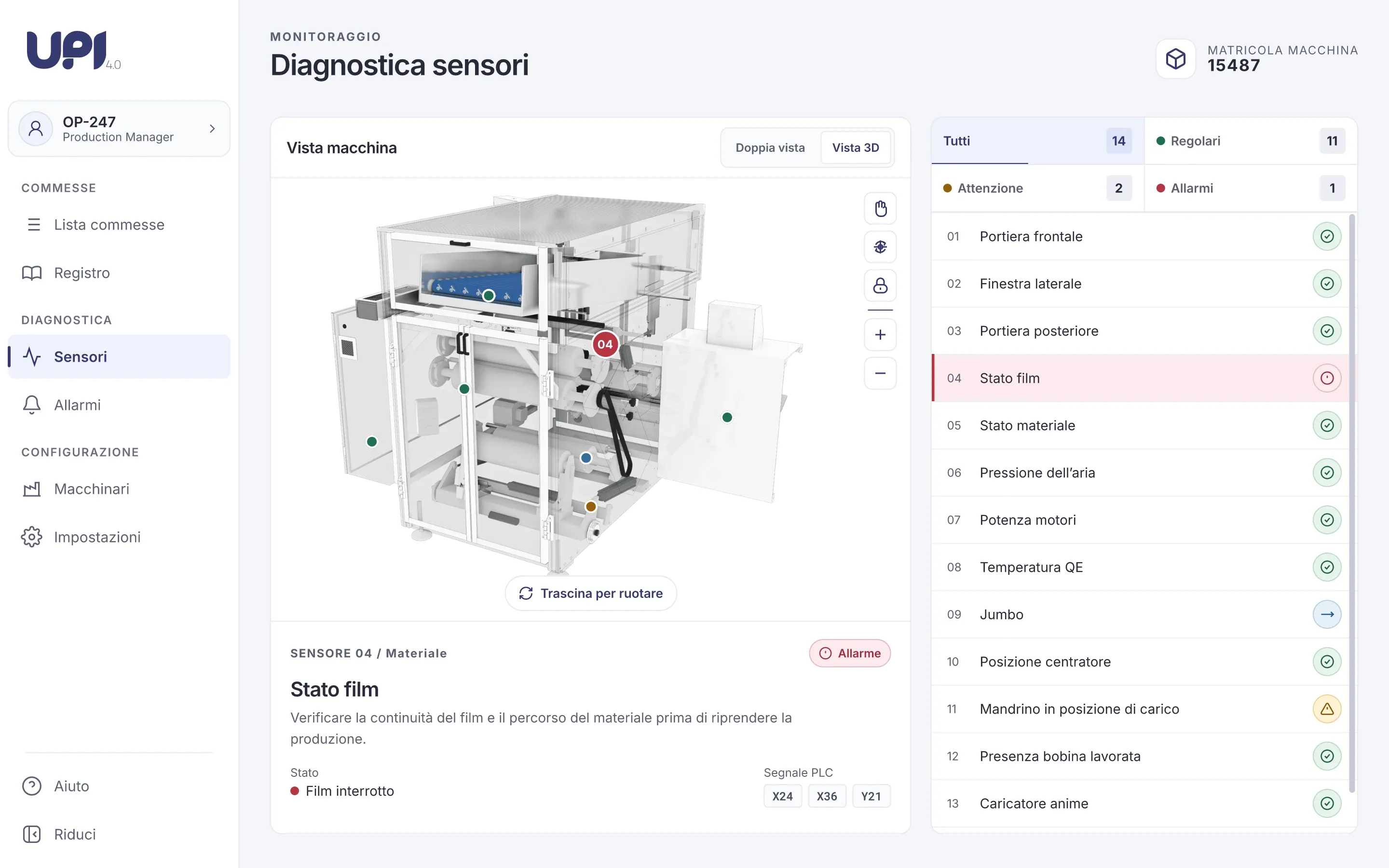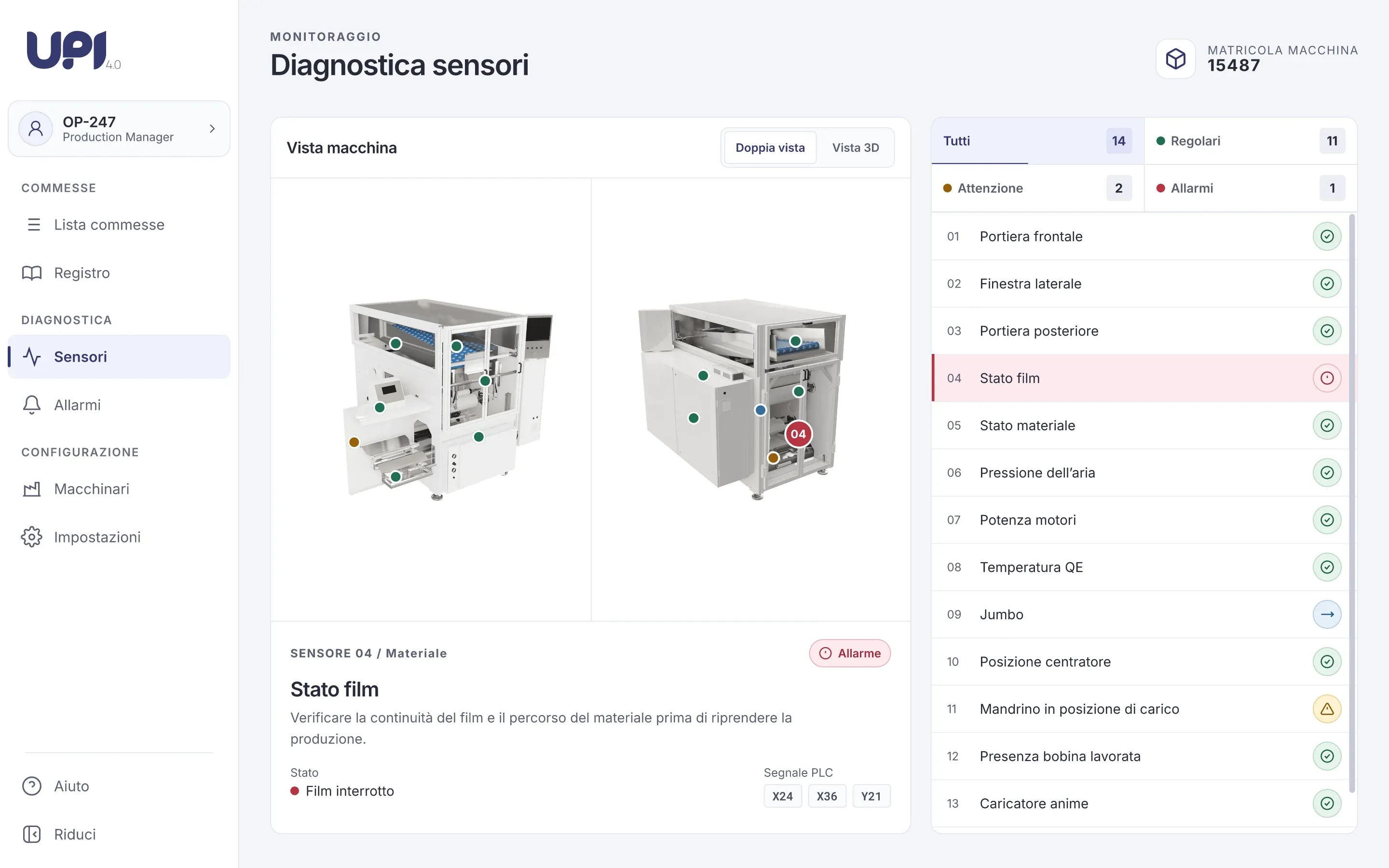
What the office needs to see
UPI is Firewall’s monitoring platform for industrial machines. Version 4.0 was built for Unitech’s rewinding machines, and I designed its interface. The production manager follows the machine from an office PC, and two questions come up all day: which orders are queued, running or finished, and whether any sensor on the machine needs attention. UPI answers both, and only reads: the machine itself is controlled from its own panel on the shop floor.
Orders at a glance
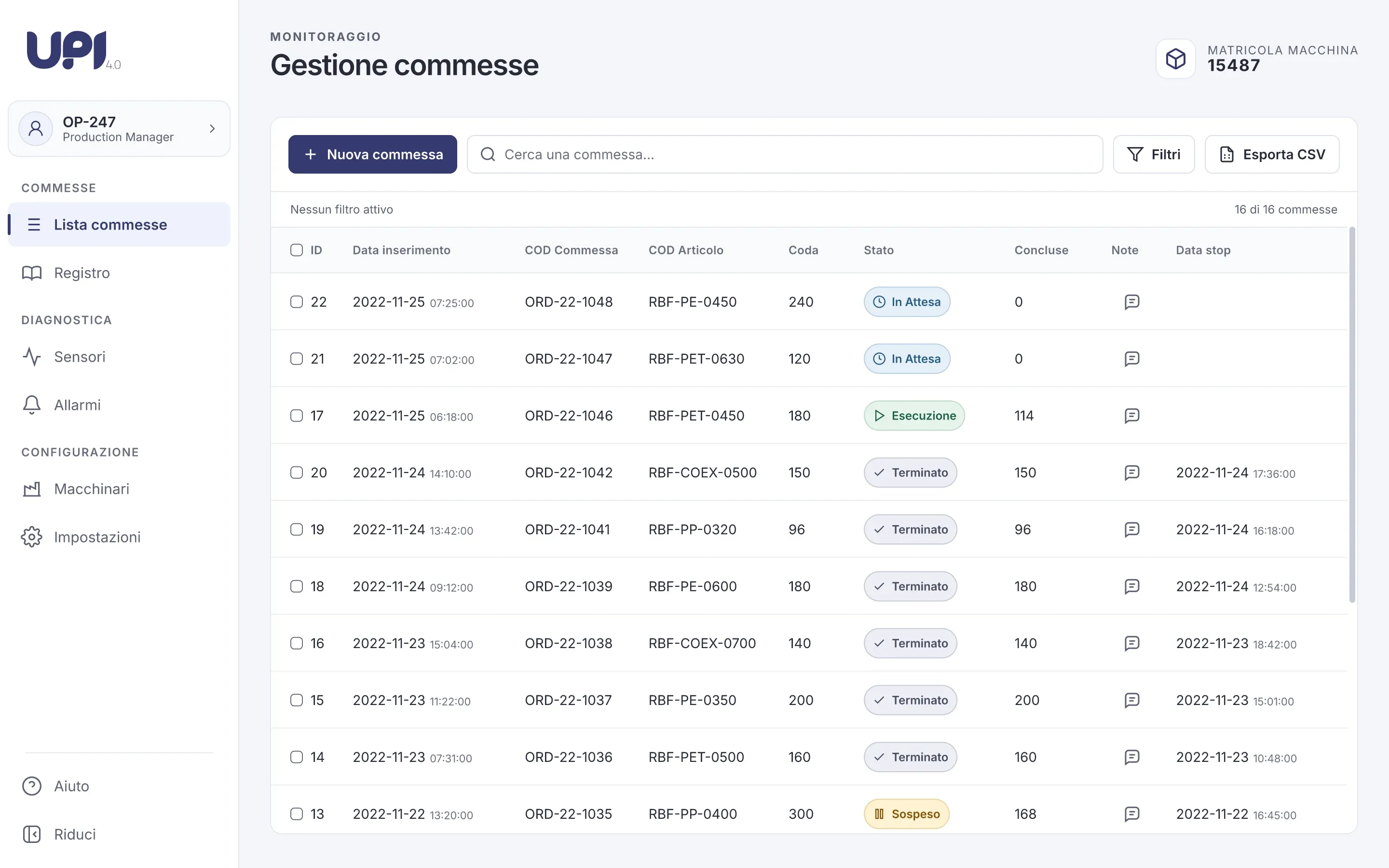
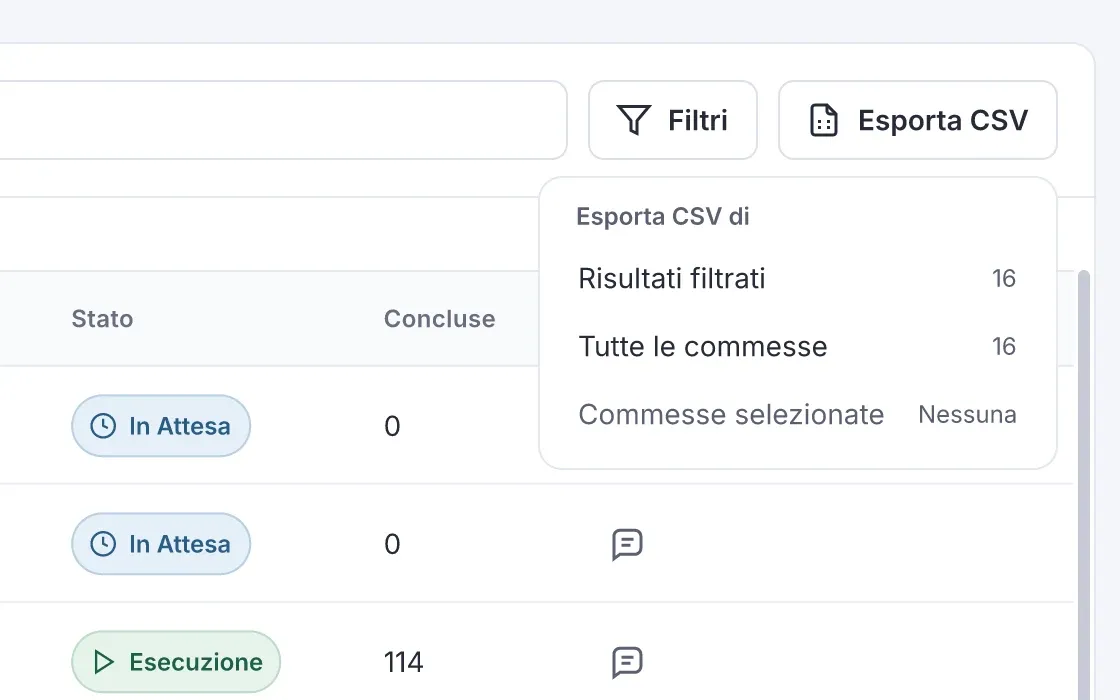
The order list is the screen people keep open. State is the column they scan first, so it is a labelled pill with its own icon, never colour alone: an order waiting, running, paused or finished reads the same for everyone. Search, filters and CSV export sit in one toolbar above the table, and the filters that are active stay visible as chips with the number of results.
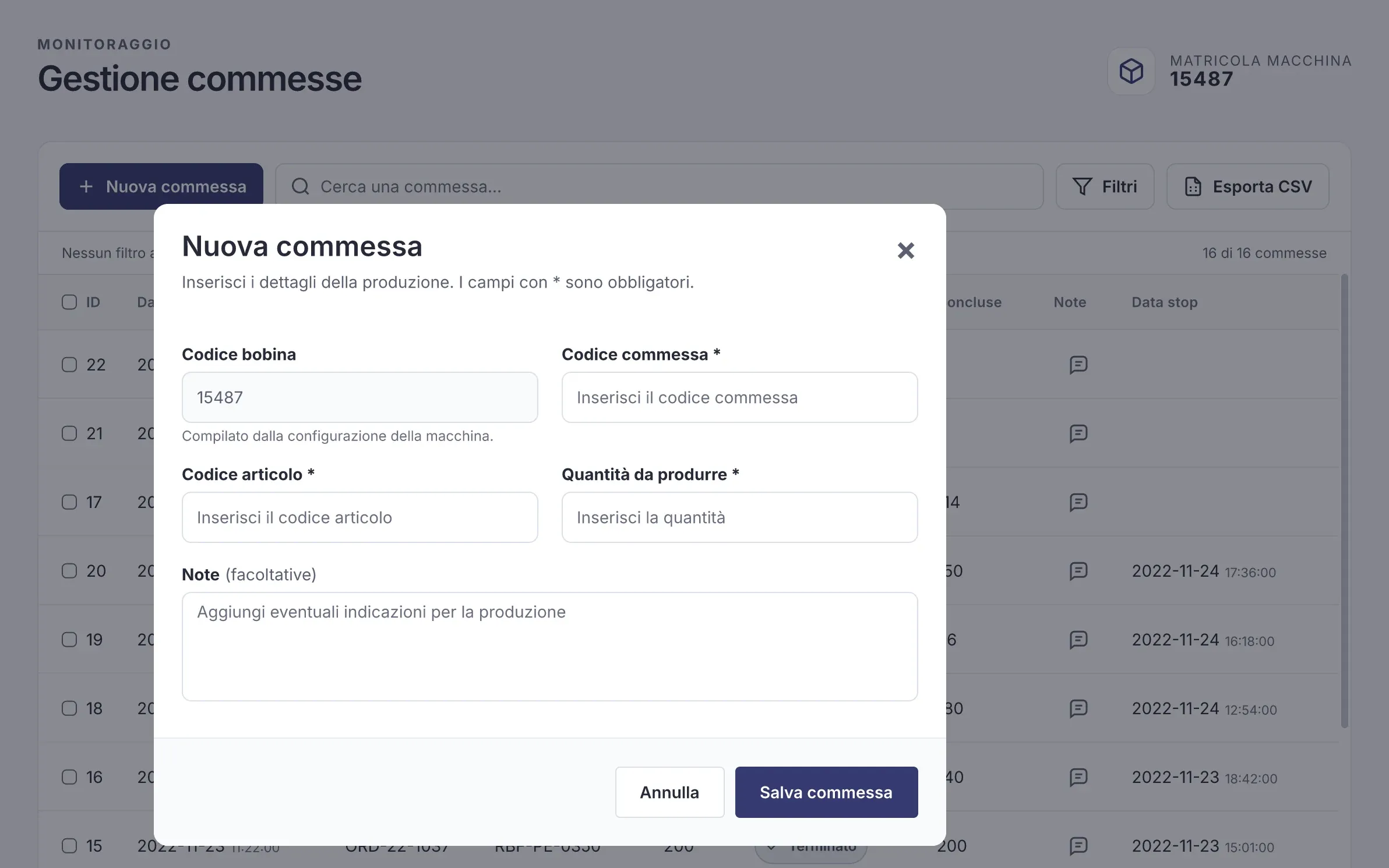
New orders open in a dialog over the list, so the context stays in view. The export asks only what matters: the filtered results, all orders, or the ones selected.
Sensors on the machine
Fourteen sensors watch the machine. Each one sits on a render of the machine, in the position and with the name I agreed with Unitech’s technicians, at their plant, so the office and the shop floor call every sensor the same way. Selecting a sensor, on the drawing or in the list, opens its state and the PLC signals behind it.
Four states, regular, moving, attention and alarm, each with a colour, an icon and a label. A front and rear view shows where everything is; a 3D view turns the machine to reach the sensors hidden inside.