Two programs, one panel
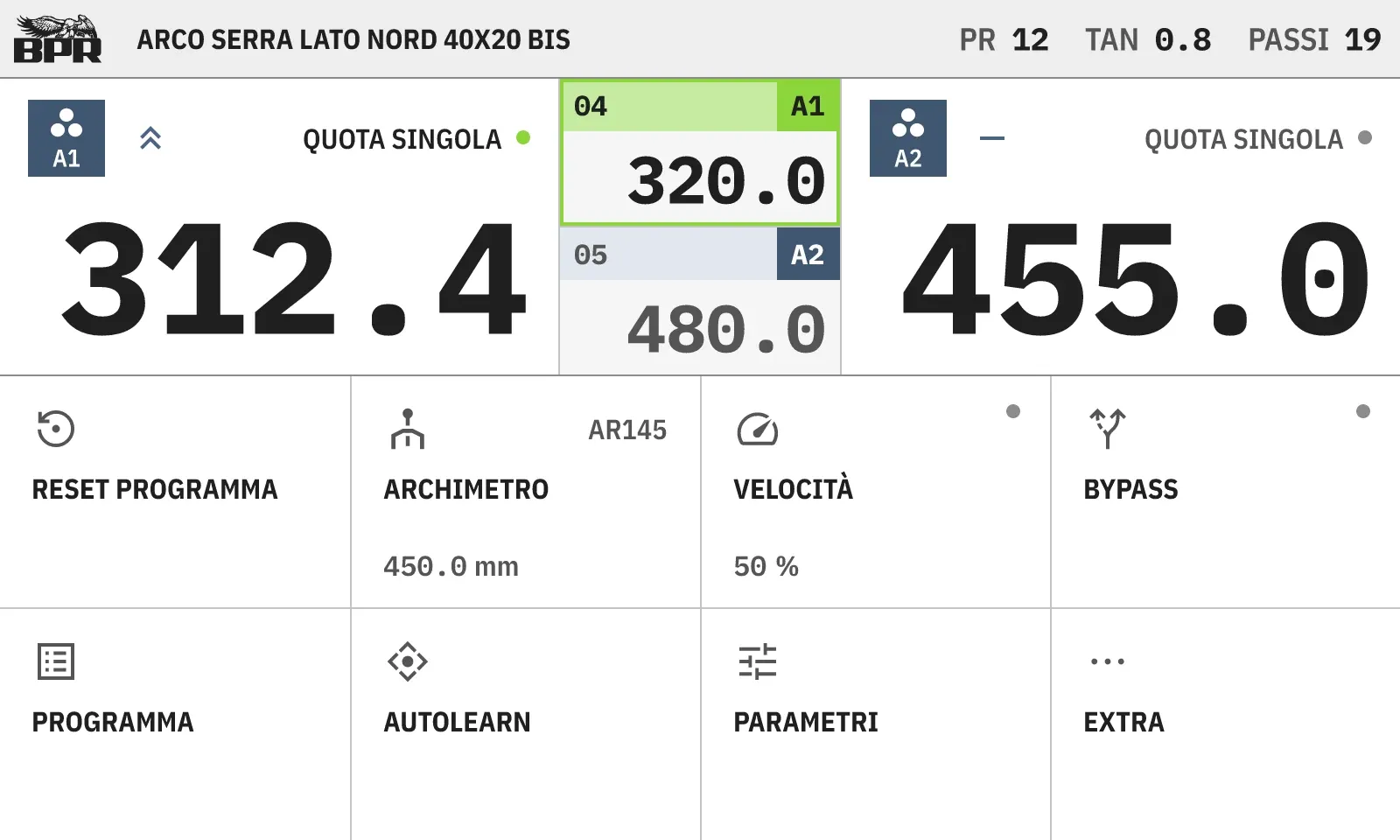
BPR’s range of tube benders ran on two HMIs, one written for 7-inch panels and one for 10-inch panels. That meant two programs to maintain, two manuals, two training paths and two stocks of spare parts. The brief was to merge them into a single program on one 8-inch touch panel, without losing what operators already knew by heart.
I gathered the requirements with the client and the service technicians and audited every screen of the old software before drawing anything new.
Designing for gloves at 8 inches
Both old panels drew 800 × 480 pixels, so the new one keeps the resolution and changes the size of every pixel: 20 % smaller for people coming from the 10-inch panel, 14 % larger for those coming from the 7-inch. Measured at 8 inches, five kinds of the old controls fell below 12 mm, the minimum for a bare finger.
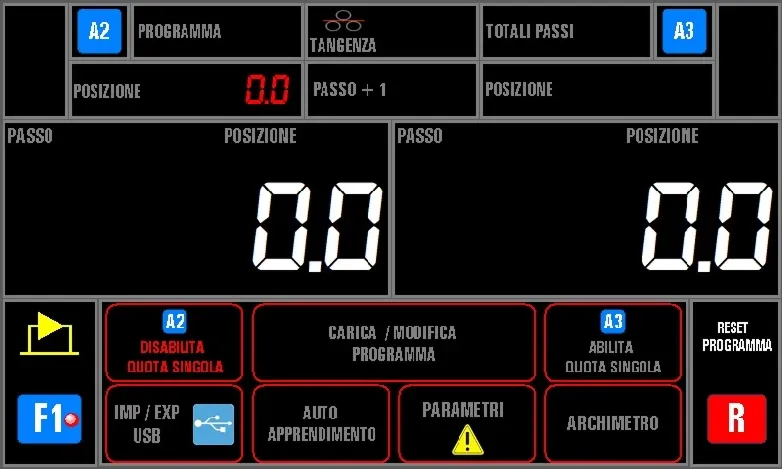
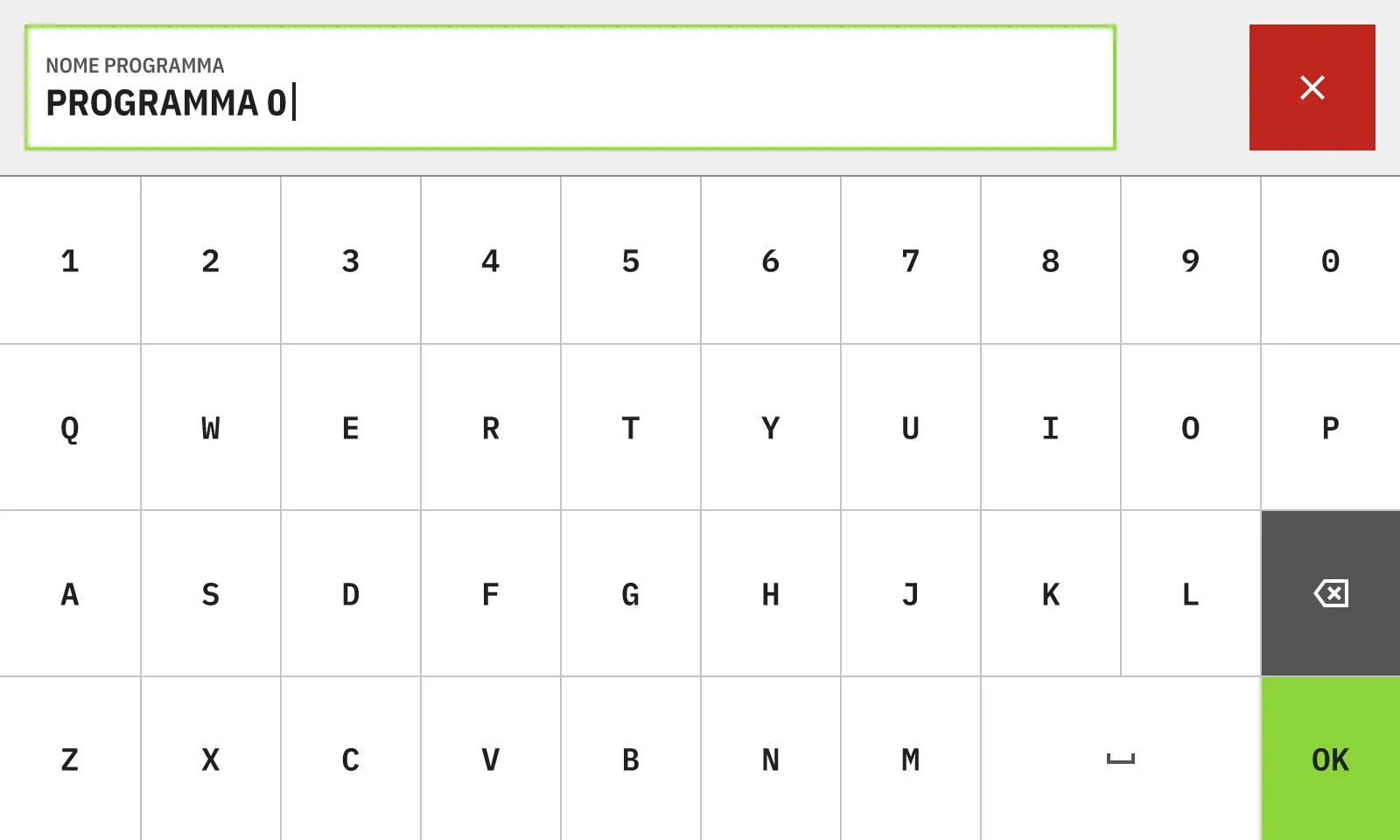
Operators wear knit gloves with coated fingertips, so the target is 15 mm, the light-glove threshold of ISO/TS 9241-411: 69 pixels on this panel. Ten keys of that size do not fit in a row of 800 pixels, so the keyboard left its pop-up and took the whole screen. Each key is now 17.4 × 20.7 mm. The cost is that keys sit flush, without the gap the standard asks for: it is the first thing to check with gloves on the real panel.
Colour that means something
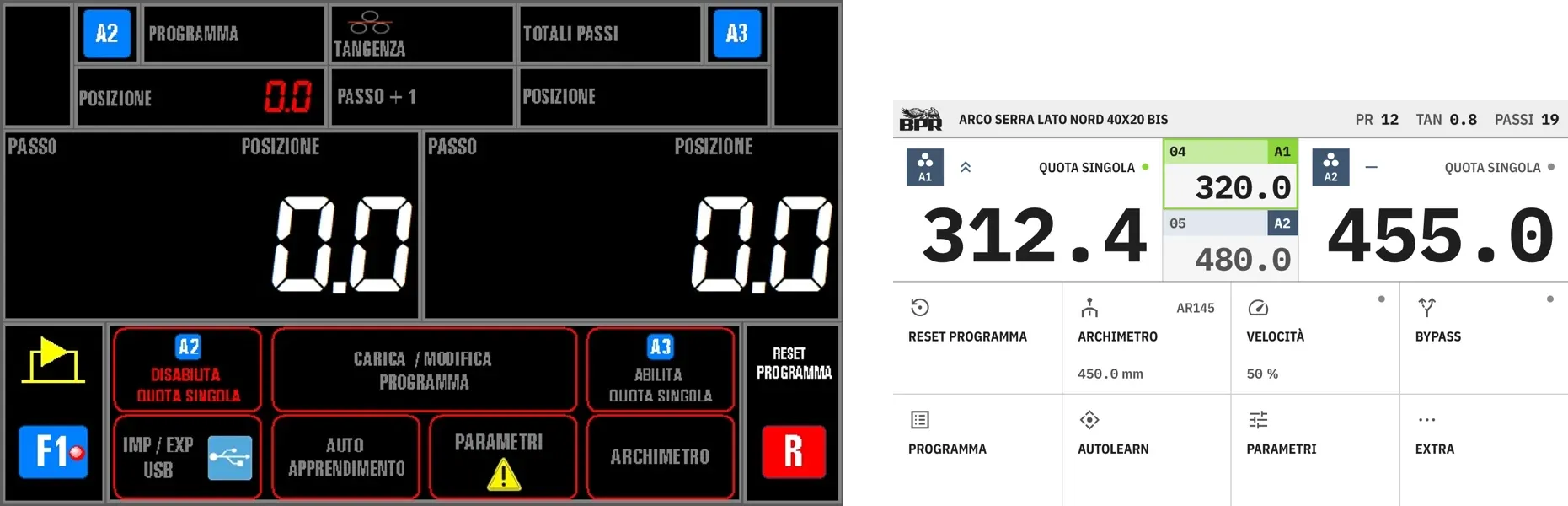
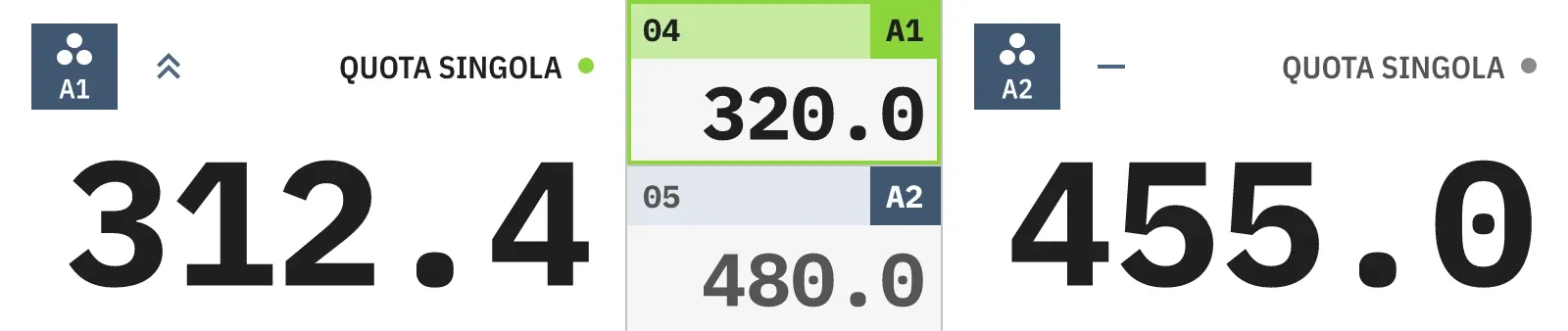
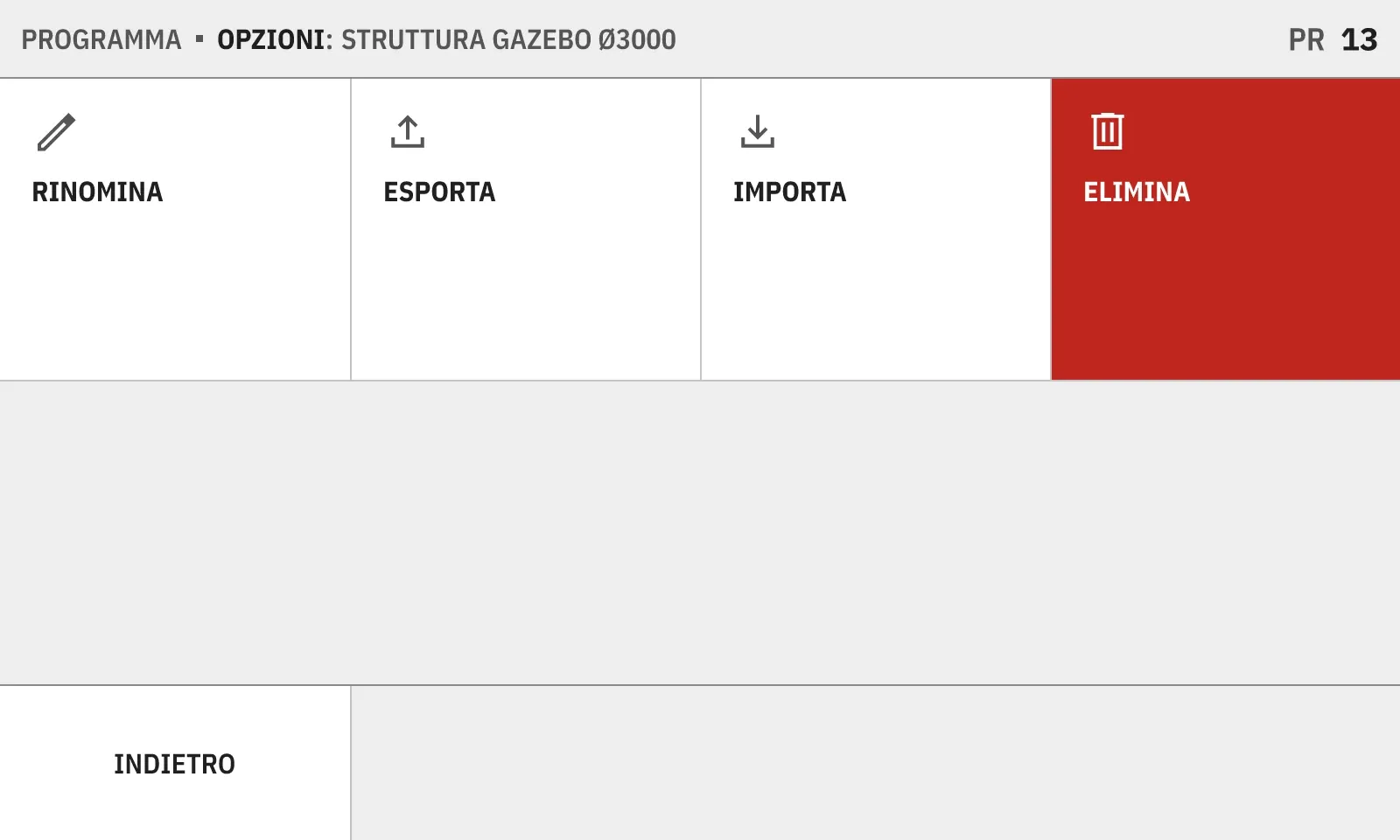
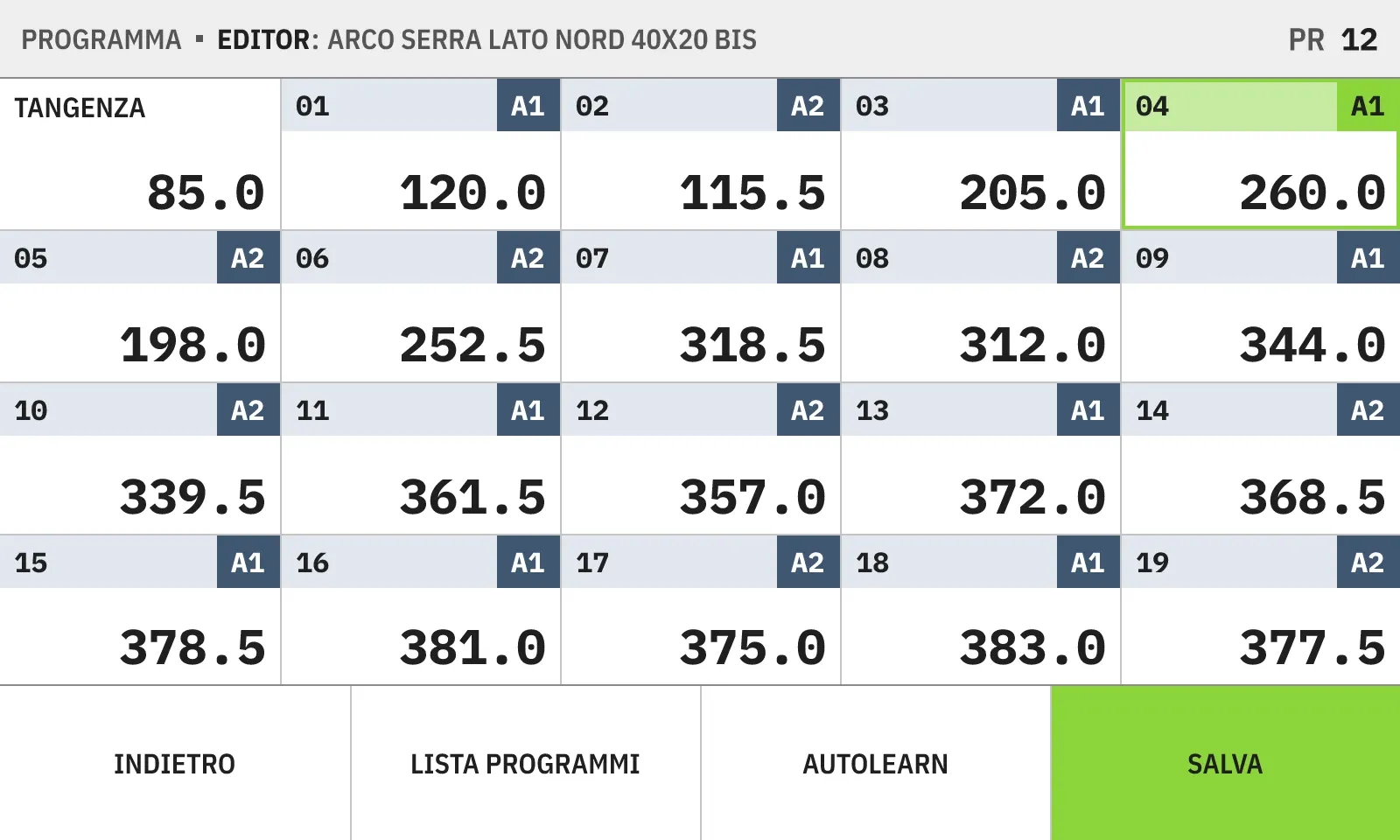
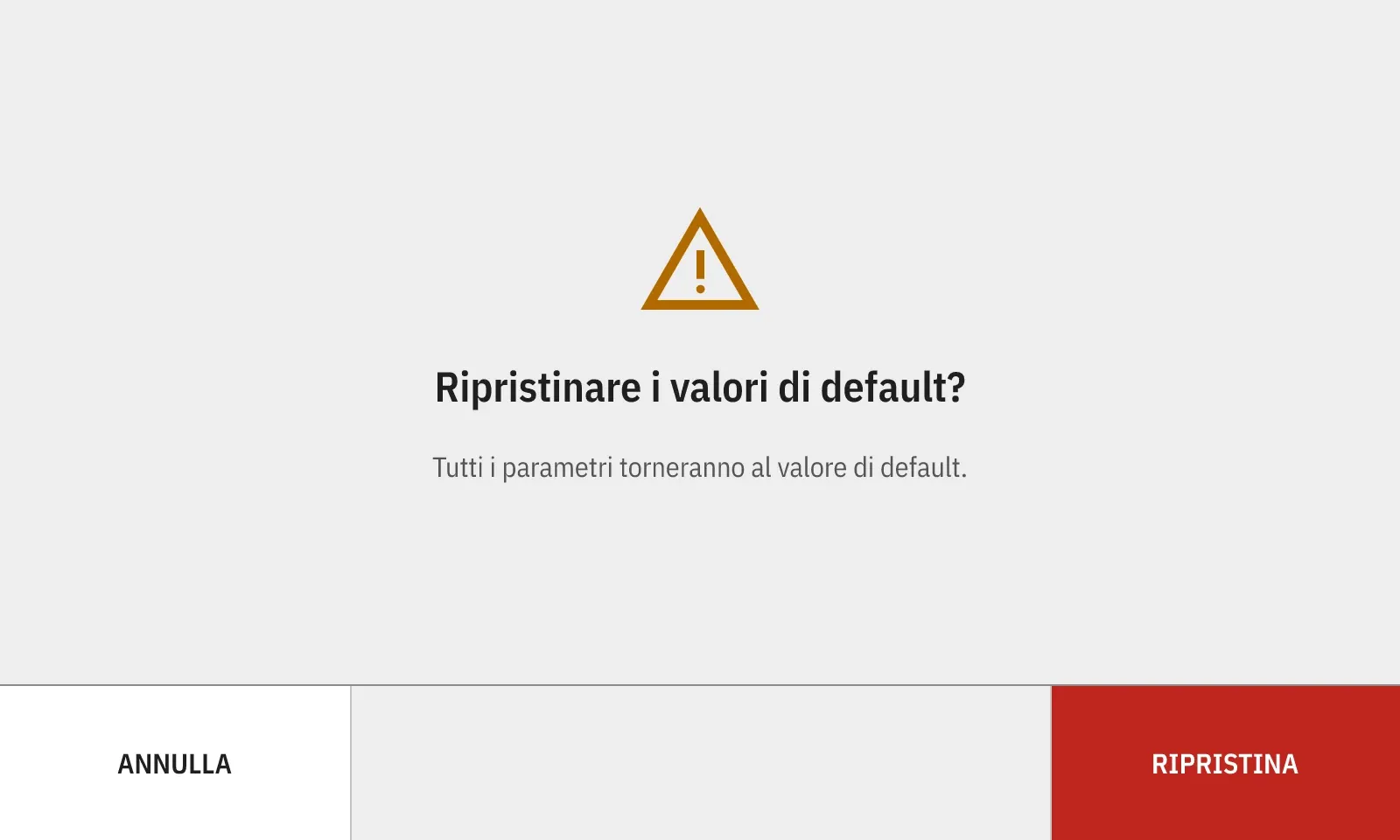
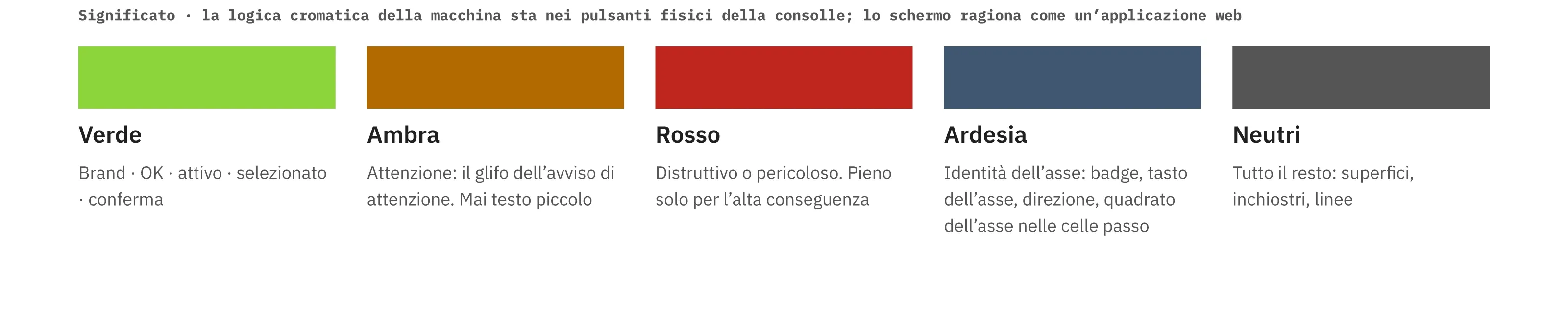
In the old software red framed five buttons that only navigate, so red could no longer warn of anything. Now it marks only destructive actions, like deleting a program. The blue square around the axis number, on the other hand, always meant the same thing, so it stays, in a quieter slate, on badges, keys and step cells.

State, not instructions
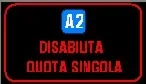
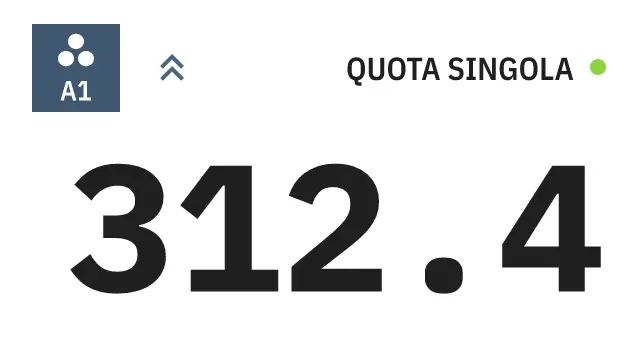
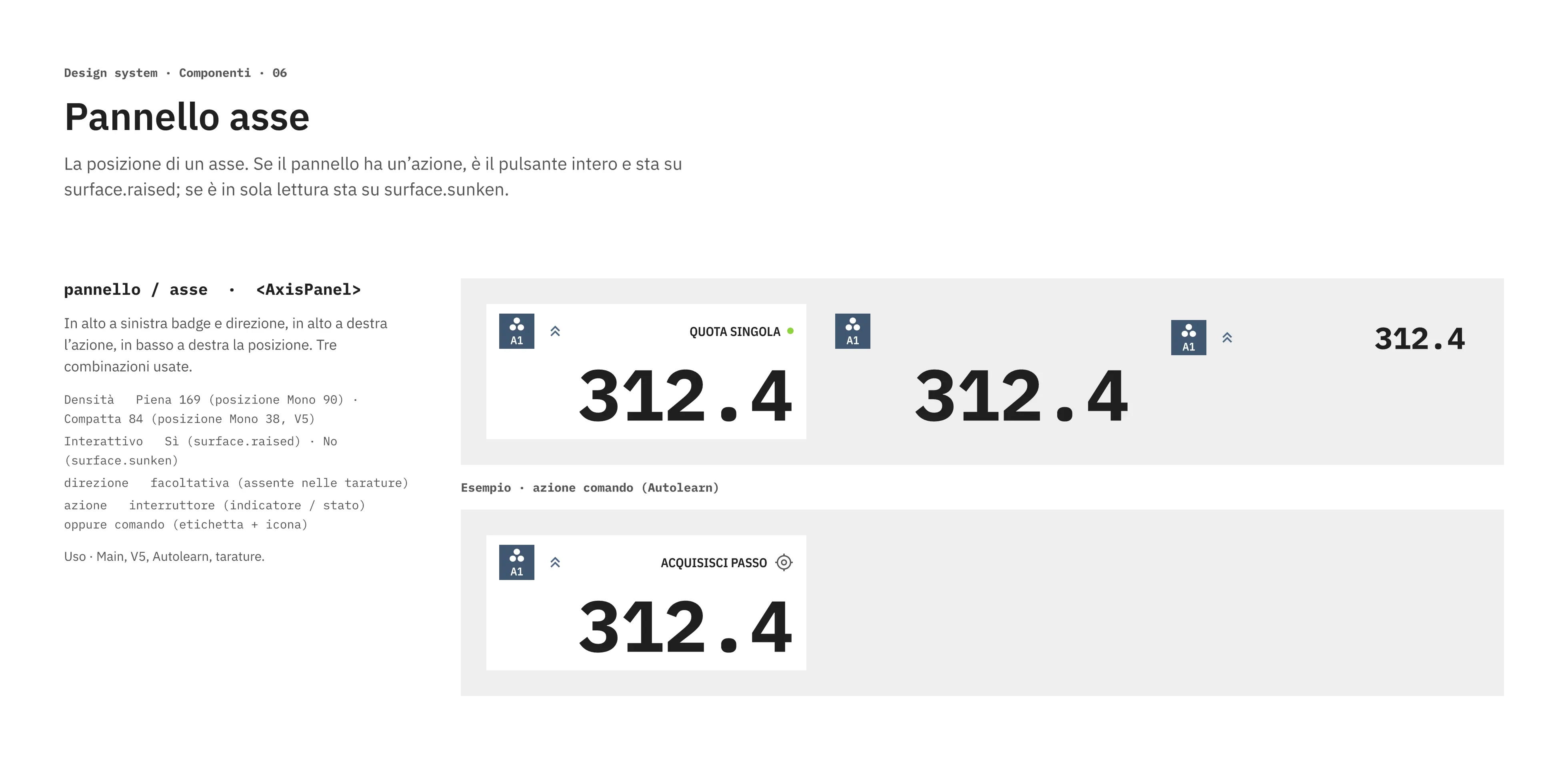
The old button read DISABILITA QUOTA SINGOLA, “disable single target”: it said what would happen, and operators had to work out what was true now. The axis panel now shows QUOTA SINGOLA with an on/off dot, and the whole panel is the touch area.
The screens
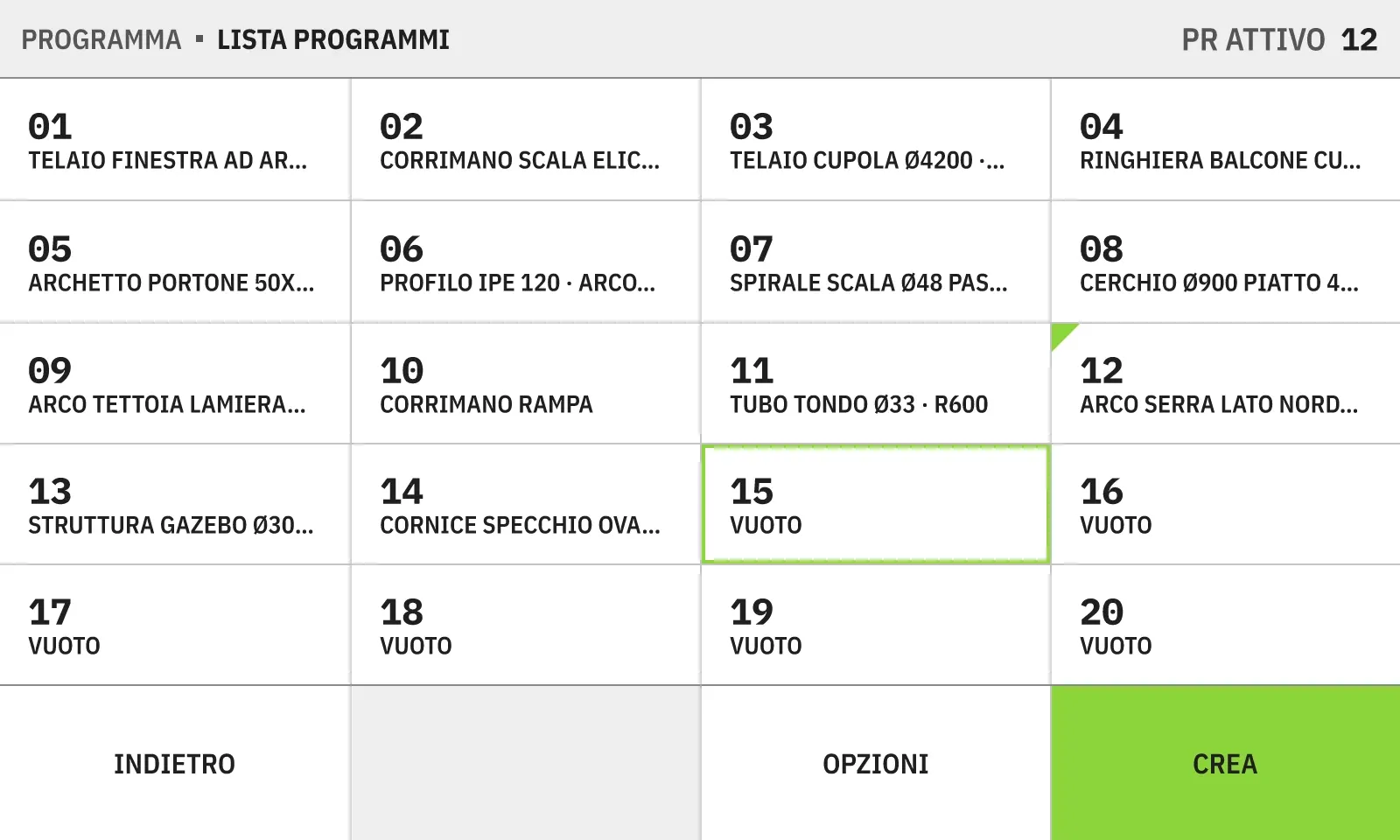
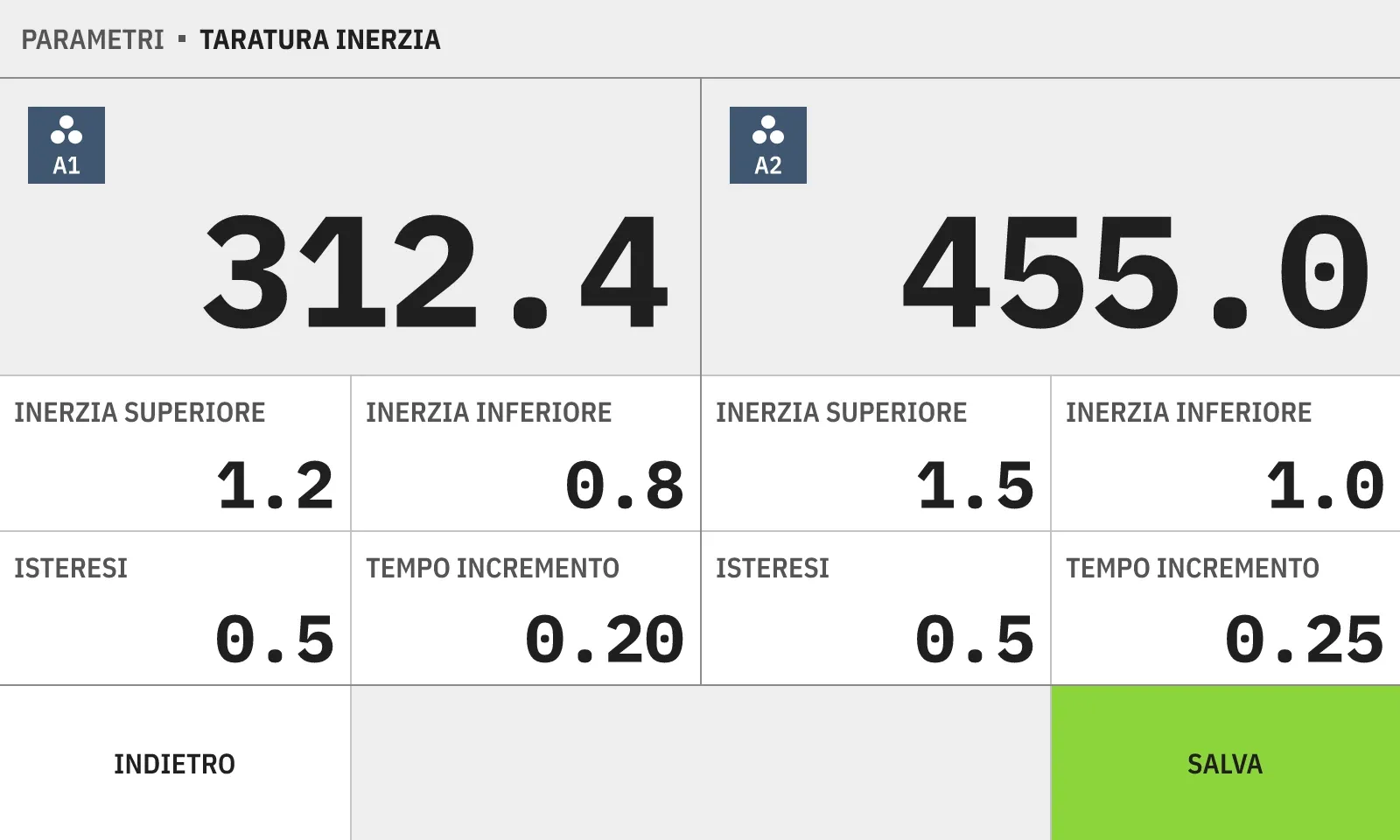
21 screens cover the main view, the program editor, the program list, calibration, parameters and alerts. They share one grid: four tiles of 200 pixels in the footer, figures in a monospaced face so values line up while the machine works.
Interactive demo
A working prototype of the 21 screens, built in React and TypeScript at the panel’s native 800 × 480 and exported as static HTML and JavaScript. Machine data is simulated: on the main screen the axes move step by step through the loaded program.
Design system
One token file feeds both the design tool and the code, so every colour, stroke and text size in the 21 screens comes from a token: 99 names and 138 values in five sets, with a light and a dark theme and a scale axis for the 800 × 480 panel. A 10-inch panel would cost one more scale theme, not a new program.
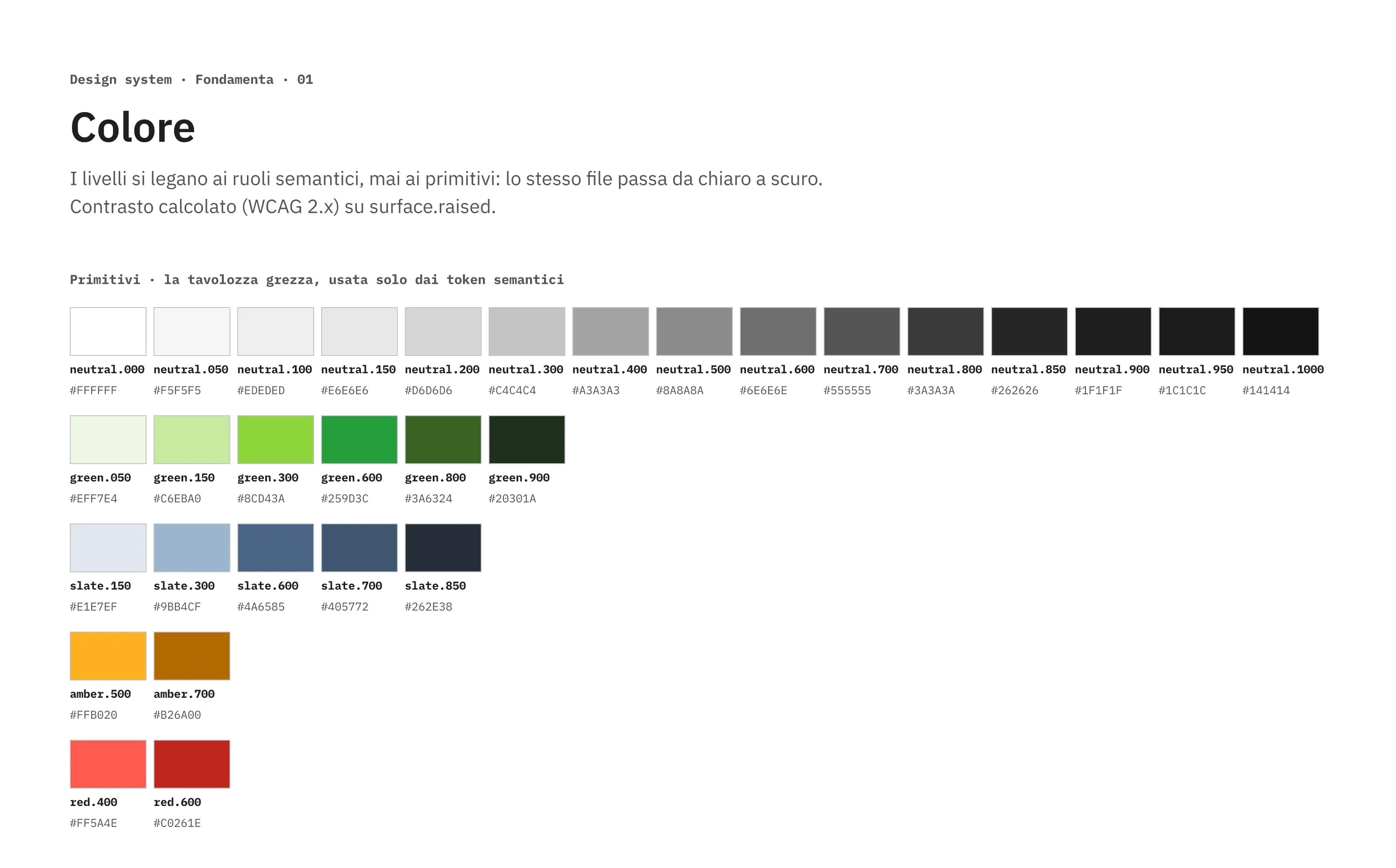
The palette is small on purpose. Green confirms, amber warns, red destroys, slate identifies an axis, and everything else is neutral. White on the brand green went from a contrast of 2.10:1 to 7.85:1 without changing the green.
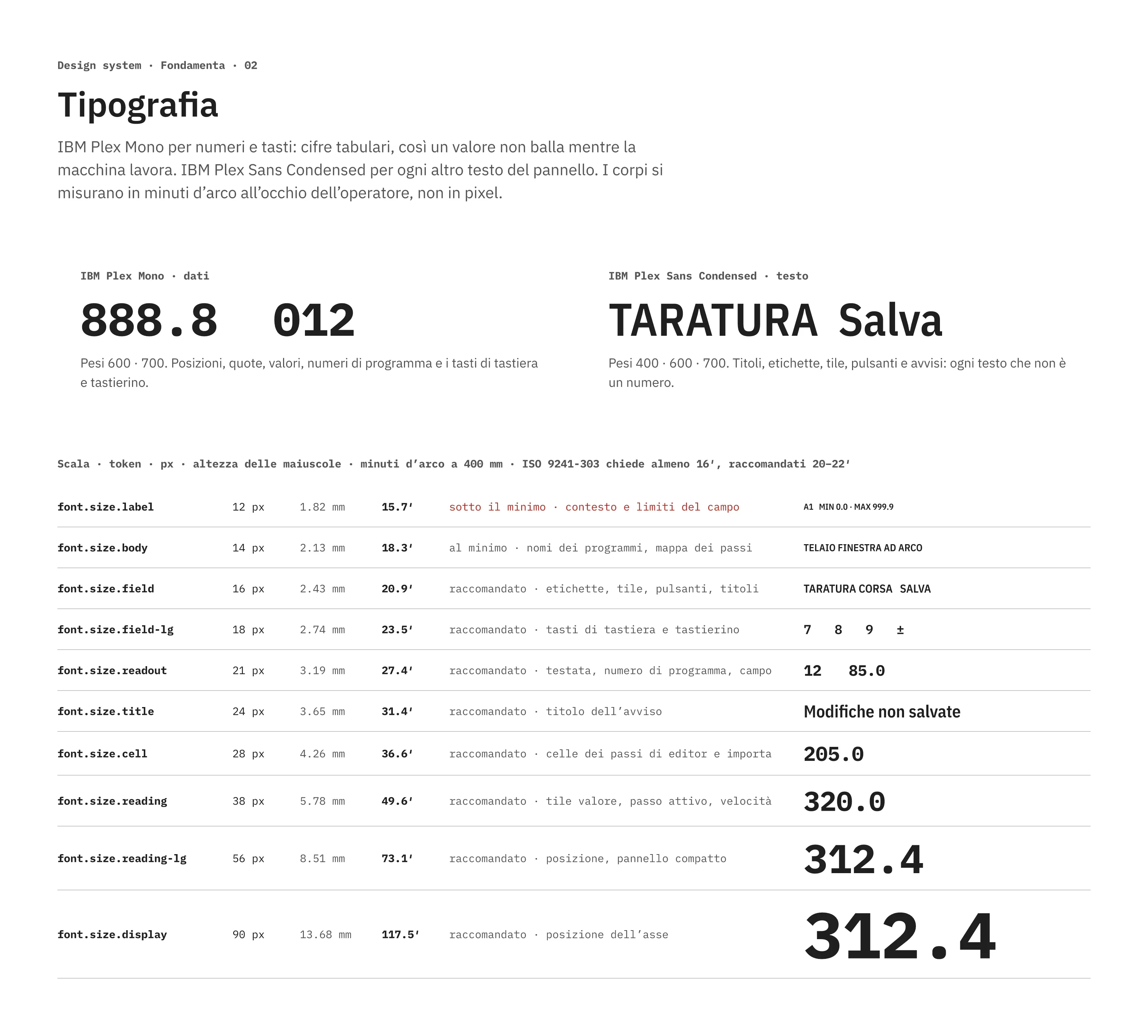
Two typefaces from the same family do two jobs. IBM Plex Mono sets every number: positions, values, program numbers and the digits of the keypad, so a figure does not jump sideways while the machine is moving. IBM Plex Sans Condensed sets the words: labels, tiles and buttons fit four to a row on 800 pixels without shrinking below a readable size. Sizes are measured in minutes of arc at the operator’s eye, about 400 mm from the panel, not in pixels.
The library holds 22 interface components, 35 icons drawn for the panel and the brand mark. Each component is documented with its states and the reason behind it.
/* tokens.css · generated from bpr-tokens.json */
[data-theme="dark"] {
  --surface-sunken: var(--neutral-1000);  /* #141414 */
  --surface-raised: var(--neutral-900);   /* #1F1F1F */
  --cell-axis: var(--slate-700);
}
The design was delivered and I supported the developers during implementation. Once it runs on the machines, three things get measured: setup time, errors per cycle and service calls on the functions flagged as critical.